Cleaning Cartridge Contacts
Step-by-step procedure for cleaning the gold fingers on aged Game Boy and SNES cartridges.
3 min read
Dirty contacts are the most common cause of read errors, failed saves, and games not being detected. Most cartridges respond to a basic IPA clean. Heavily oxidized ones need DeoxIT.
For context on what builds up on aged contacts and why IPA alone isn’t always enough, see Cartridge Contact Issues.
What you’ll need
- 3.8mm gamebit screwdriver (SNES®, Super Famicom®, Game Boy®, and Game Boy Color® cartridges)
- Tri-wing (Y0) screwdriver for Game Boy Advance® cartridges
- Cotton swabs
- 99% isopropyl alcohol (lower concentrations leave too much water on the contacts)
- For stubborn cartridges: CAIG DeoxIT D5 or D100
- For visibly corroded cartridges: white vinyl eraser (soft block, not pencil tip)
Basic procedure
- Open the cartridge with the correct security bit (3.8mm gamebit for SNES, Super Famicom, GB, and GBC; tri-wing for GBA).
- Dampen a cotton swab with 99% isopropyl alcohol.
- Wipe each side of the gold fingers in the direction of the contacts, not across them.
- Repeat with fresh swabs until the swab is mostly clean. Two to four passes is normal.
- Let the cartridge dry for a few minutes.
- Don’t touch the contacts with bare fingers after cleaning.
If IPA isn’t enough
IPA dissolves oils and organic film but not metal oxidation. For cartridges that still read intermittently after a thorough IPA clean:
- Apply a small amount of CAIG DeoxIT D5 or D100 to a fresh swab and wipe the contacts.
- Wipe off excess with a clean dry swab.
DeoxIT dissolves the metal corrosion that IPA can’t. Don’t follow with IPA. DeoxIT leaves a thin film on the contacts by design, and that film slows re-oxidation.
If the contacts are visibly corroded
For visible green or black on the contacts, pitting, or worn-through plating:
- Rub the contacts gently with a white vinyl eraser along the direction of the contacts.
- Follow with an IPA pass to clear eraser debris.
Use sparingly. The eraser strips some gold along with the corrosion.
What not to do
- Don’t blow on the cartridge. It moves dust around and adds moisture from your breath.
- Don’t use water. It causes corrosion.
- Don’t use household cleaners. They leave residue.
- Don’t scrub aggressively. You can damage the plating.
- Don’t use a pencil eraser. The pink rubber is too abrasive and shreds the gold layer.
When to clean
- Before using a cartridge that’s been in storage
- When a game isn’t being detected
- When you see read or write errors, or integrity failures
- When you can see visible dirt on the contacts
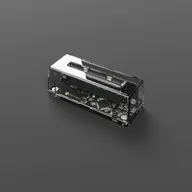
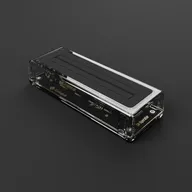
Cleaning the Operator’s slot
A new Operator doesn’t need cleaning. Over time, contamination transferred from cartridges accumulates inside the slot.
If you see intermittent reads across several known-good cartridges:
- Disconnect the Operator from your computer.
- Blow out the slot with a short burst of compressed air.
- For deeper cleaning, a cartridge cleaning card sized for SNES or Game Boy (such as 1UPcard) is safe to use.
Never spray liquid into the slot or push improvised tools in. See Caring for Your Operator.
See also
- Cartridge Contact Issues : Why aged cartridges need cleaning
- Cartridge Not Detected : Further detection troubleshooting
- Integrity Check Failed : Resolving integrity errors
- Measuring Cartridge Battery : Check battery health
Still need help? Contact our support team