v1.2.0
Released · 3 min read
v1.2.0 is the release where Retrace starts remembering. Until now every scan disappeared the moment you pulled the cartridge out, which works for a quick authenticity check and falls short the moment you’re going through a whole box. The most common request after v1.1.0 was some way to look back at what you had already scanned, so that is the headline here.
Scan history
Every cartridge you check is now saved. Cover art, developer, release date, the pricing you saw and the authenticity result, all kept on the device and reachable from the History button at the top of the app. Tap an entry to reopen the full result panel exactly as it looked at scan time. Swipe to delete the ones you don’t want to keep. Nothing leaves your phone, and nothing is uploaded anywhere.
It changes how the app gets used at a table. Work through a box of carts one after another, then go back through the list once you’re done, instead of writing results down as you go.
RetroAchievements
Cartridge details now tell you when a game has RetroAchievements support, with a link straight to its page. It’s a small thing that answers a question a lot of people were asking about their own shelves.
Pricing that shows what it has
Pricing used to be all or nothing. If one of the four figures was missing from our data, the whole section went blank. Now you get whatever exists, and only the missing figures show as unavailable. Cartridges with thin market data are no longer a dead end.
Smaller features
- Placeholder artwork in History. Games we don’t have cover art for get a placeholder instead of an empty gap in the list.
- Fixed text size. The app no longer scales with the system font setting. Layouts stay as designed on every device.
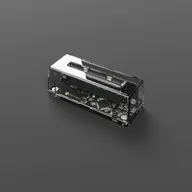
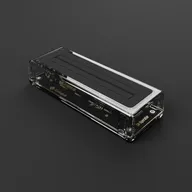
- No more USB auto-launch on Android. Plugging in an Operator no longer forces Retrace open. Start it when you want it.
- Steadier SN Operator connections. SN Operator reconnects more reliably, and a device unplugged while the phone slept no longer leaves the app waiting on something that isn’t there.
- Cartridge identity re-checks. Coming back to a result now re-validates that the cartridge in the slot is still the one on screen, so a swapped cart can’t leave a stale result up.
Behind the scenes
First launch is faster. The bundled game database is now built with batched inserts instead of one statement per row, which cuts the wait on that first cold start considerably, and the iOS build path uses about half the peak memory it used to. If the database is ever left damaged, by a cancelled install or a full disk, Retrace repairs it on the next launch instead of sitting there broken.
There is also a pile of smaller fixes in here around History navigation, cartridge reads that come back slowly, and a handful of crashes that only turned up on specific devices.
Retrace updates automatically through the App Store and Google Play. Keep the emails coming. History exists because enough of you asked for it.