Getting Started
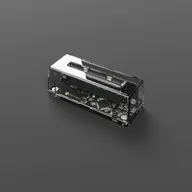
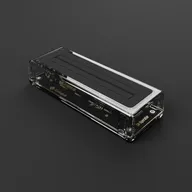
Set up your Operator device and start playing. Includes guides for what each device does, first-time setup, and platform-specific installation for Windows, macOS, Linux, Steam Deck, and Raspberry Pi.
15 articles in this category
Quick Start Guide
1 min readGet playing in under 5 minutes.
First Time Setup
2 min readGet started with your Operator device and the Playback app in minutes.
What is the GB Operator?
2 min readLearn about the GB Operator and everything it can do with your Game Boy cartridges.
What is the SN Operator?
3 min readLearn about the SN Operator and everything it can do with your Super Nintendo cartridges.
Why Use Playback?
4 min readHow Playback differs from traditional emulators and the benefits of cartridge integration.
What is Playback?
5 min readLearn about Playback, the companion software for your Operator device.
Windows Setup
1 min readInstall and configure the Playback app on Windows.
macOS Setup
1 min readInstall and configure the Playback app on macOS.
Linux Setup
7 min readInstall Playback and configure your Operator device on Linux distributions.
Steam Deck Setup
4 min readA step-by-step guide to installing Playback on your Steam Deck.
Raspberry Pi Setup
3 min readInstall and run Playback on your Raspberry Pi.
Updating Playback
2 min readHow to update the Playback app to the latest version.
Data Folder Locations
2 min readWhere Playback stores saves, settings, and other data on your computer.
Accessibility
2 min readScreen reader support and accessibility features in Playback.
Terminology
5 min readGlossary of terms used throughout the Playback documentation.