Flashcart Support
Information about flashcart compatibility and rewriting.
2 min read
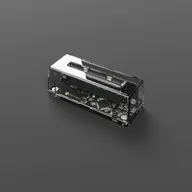
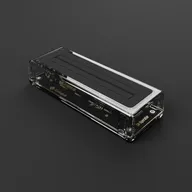
Both the GB Operator and SN Operator support writing to flashcarts and reproduction cartridges, letting you play homebrew games on original hardware.
Supported flashcarts
The Operator devices can automatically detect the chips inside common flashcarts and write to them accordingly. Most reproduction cartridges and basic flashcarts are supported for both Game Boy® and SNES®.
Limitations
Playing flashcarts
While the Operator can write to many flashcarts, playing them doesn’t always work. Reproduction cartridges often have modified save mechanisms that differ from standard behavior, which can cause save issues during gameplay.
SD game loaders
SD game loaders are not supported for playing or rewriting. These devices store game data on an SD card rather than on chips inside the cartridge, making them fundamentally different from flashcarts. SD game loaders are designed to work with consoles, either original hardware or some FPGA-based systems. They require an active console to load and run games from the SD card.
Known unsupported SD game loaders:
- EZ Flash Omega
- EZ Flash Junior
- Everdrive devices
- EZF Advance Realtime Cart
Writing homebrew
To write a homebrew game to a supported flashcart:
- Insert the flashcart into your Operator device
- Go to the Data tab
- Click Upload Homebrew
- Select your game file
The Operator will detect the flashcart type and write your game automatically.
Unsupported flashcarts
We’ve added compatibility for almost all known flashcarts. If yours isn’t recognized or can’t be written to, it may be a rare edge case we haven’t encountered yet.
Growing compatibility
The GB Operator launched initially with limited flashcart support, but compatibility has expanded significantly over time. Our chip detection system now achieves 98.7% accuracy, and we regularly release firmware updates that add support for additional flashcarts.
Requesting support
If your flashcart isn’t supported, contact us with the brand and model if known. Due to the technical complexity involved, adding support can take time as we work through requests fairly. If you’re open to sending us your flashcart, it greatly accelerates our ability to add support for it.
Tips
- Clean flashcart contacts before writing for best results
- Back up any existing data before overwriting
- Keep the device connected throughout the write process
Still need help? Contact our support team